
Getting Started - Launch a Website From Template
TABLE OF CONTENTS
Still have questions? Contact [email protected]
Launching a Website on Your Domain
Ready to get started? Great!
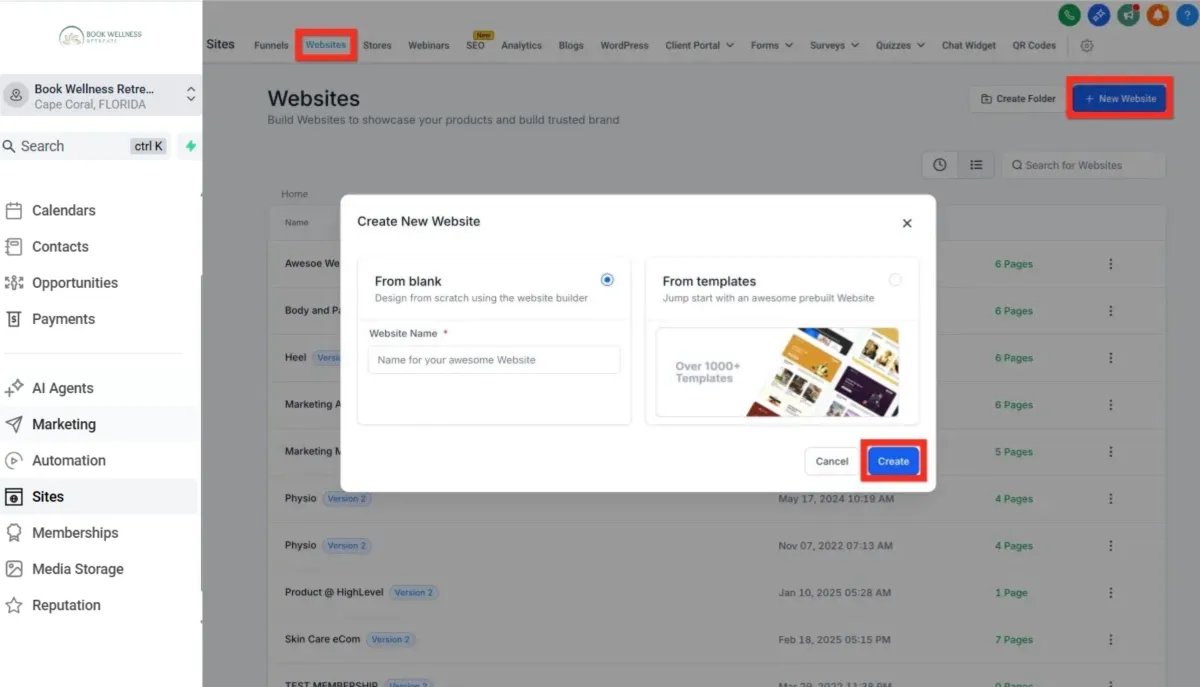
Navigate to Sites > Websites: First, let's head to the Websites section to kick things off.
Click New Website: Look for the "New Website" button. Easy to find, right?
Click New Website:
From Blank: Feeling creative and adventurous? This gives you total freedom!
From Templates: Want something polished and quick? Let's start her.
Select From Templates and Click Create: Browse through our gorgeous templates. Once you've found your match, click "preview" to see it live, then hit Continue.
Next, you'll customize your site:
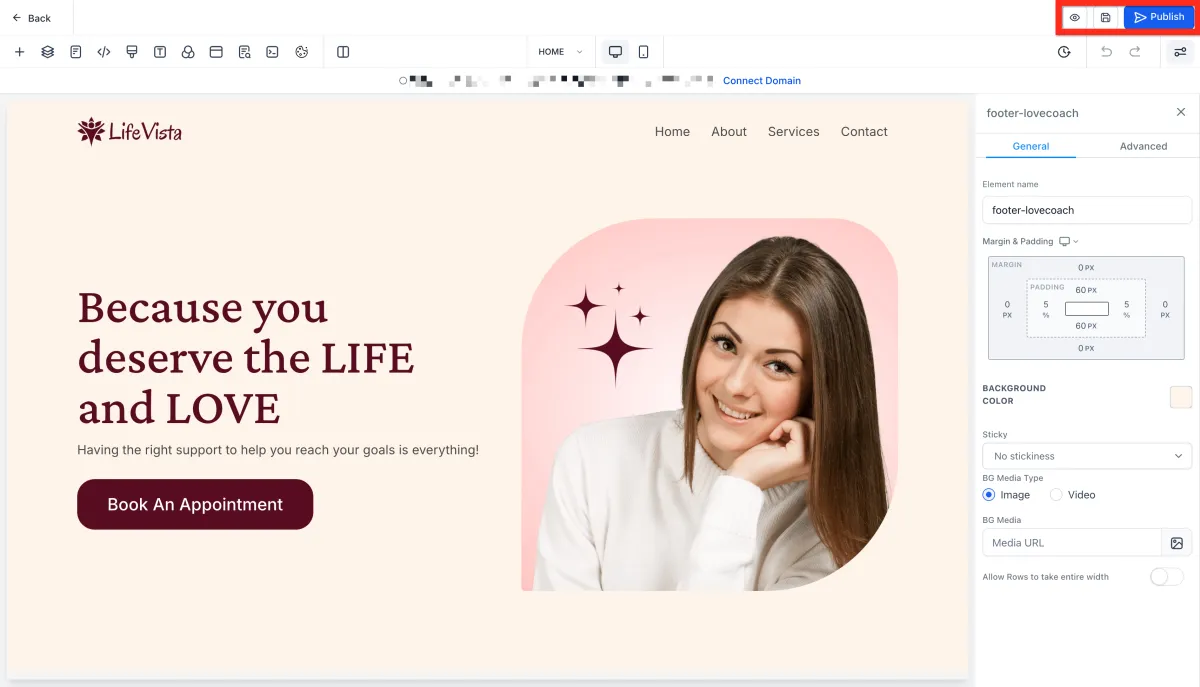
In Website Editor, Configure Website: Play around, tweak colors, add images, and really make it yours.
Click Save: Don't forget to save your masterpiece!
Click Publish: Make it live for the whole world.
Click Back (to exit Website Editor): Time to wrap things up and get your site online.
Let's make it official by connecting your domain:
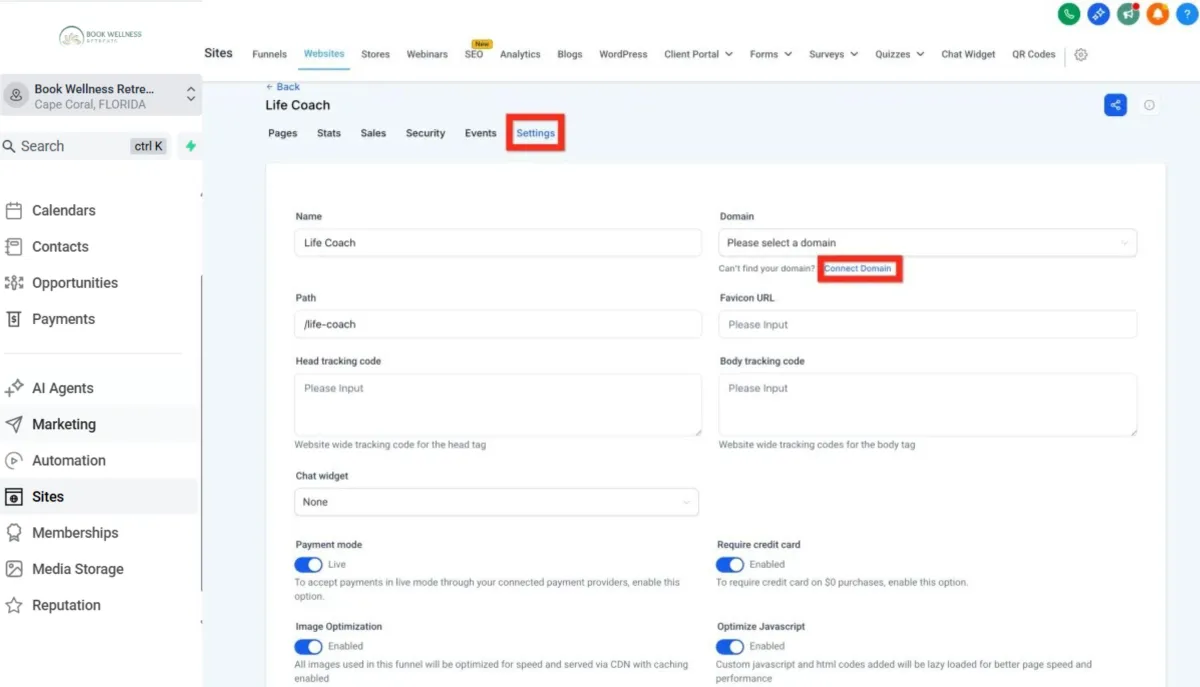
Click Settings Tab: Jump over to the settings to connect your unique web address.
Under Domain Click Connect Domain: Find the domain dropdown and click the Connect Domain link underneath.
After clicking Connect Domain you might go straight to this page, in which cast you can enter your domain and click Continue, or you can click Back to Domains to go to the Settings > Domains list of domains.
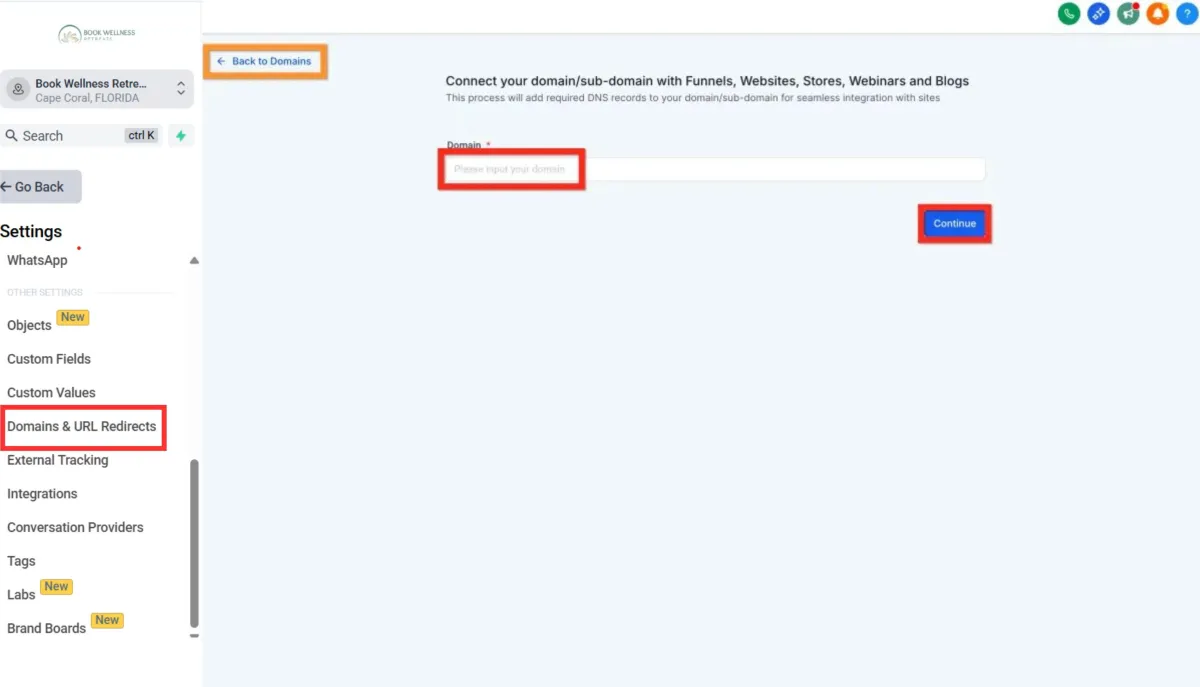
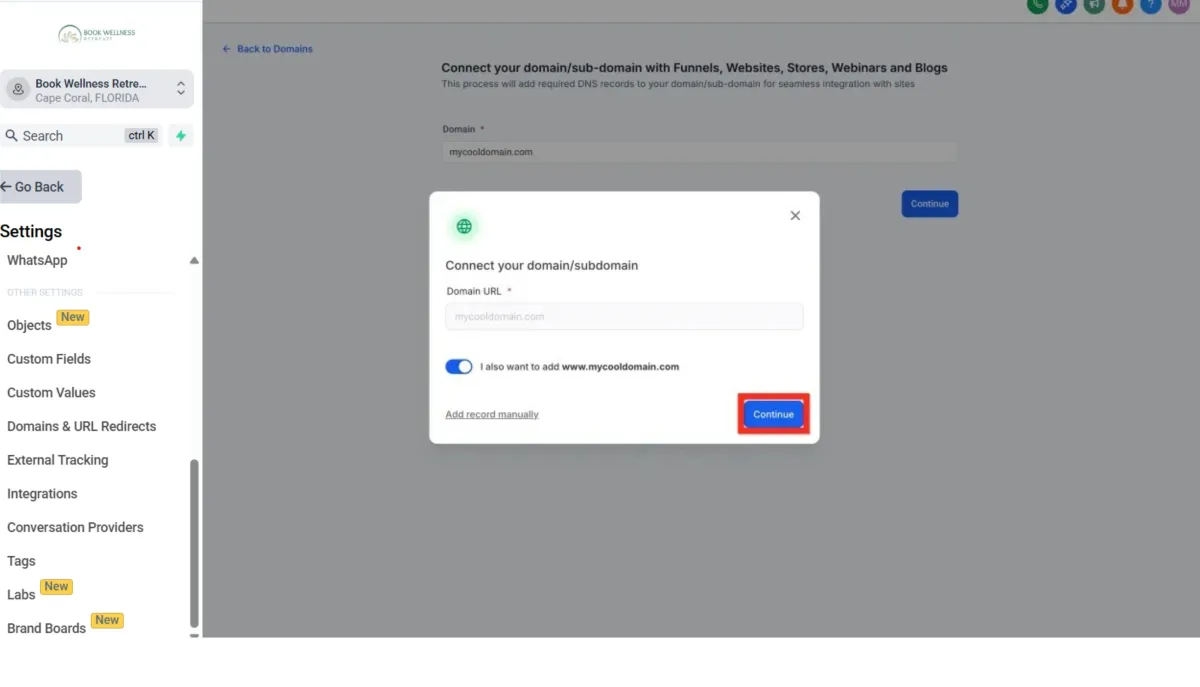
Click Connect a Domain: Enter your domain name, and click "Continue" twice. Almost there!
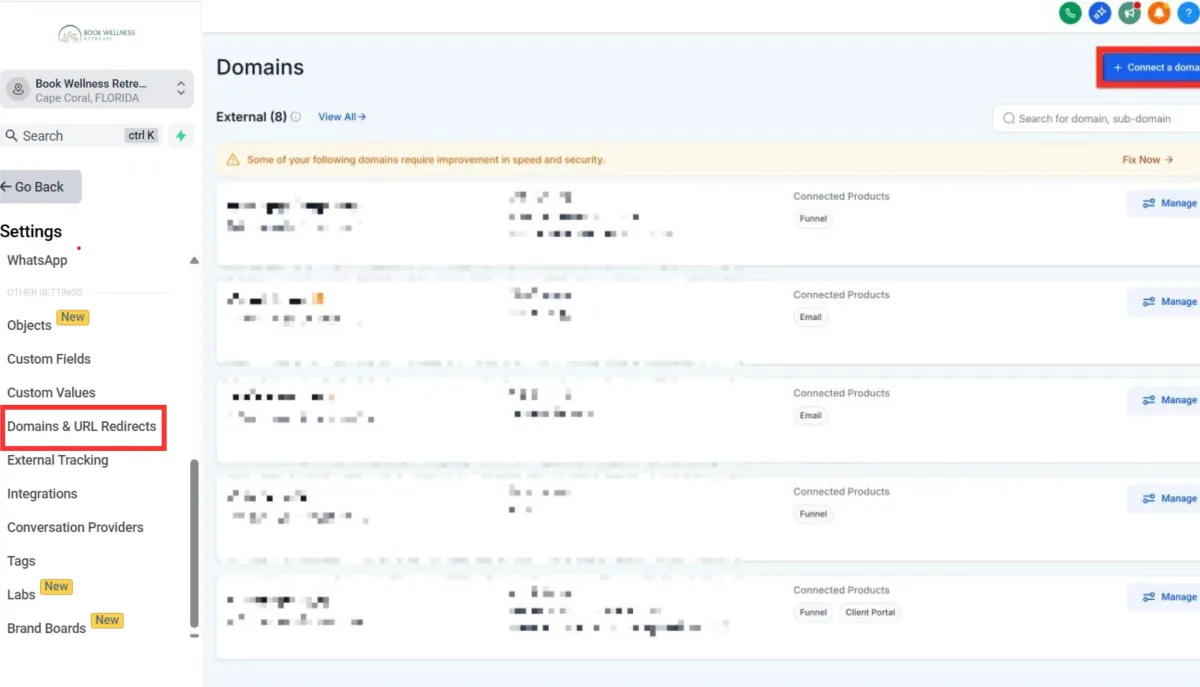
If you don't have any domains yet, this is the page you will see. Just click Connect a Domain.
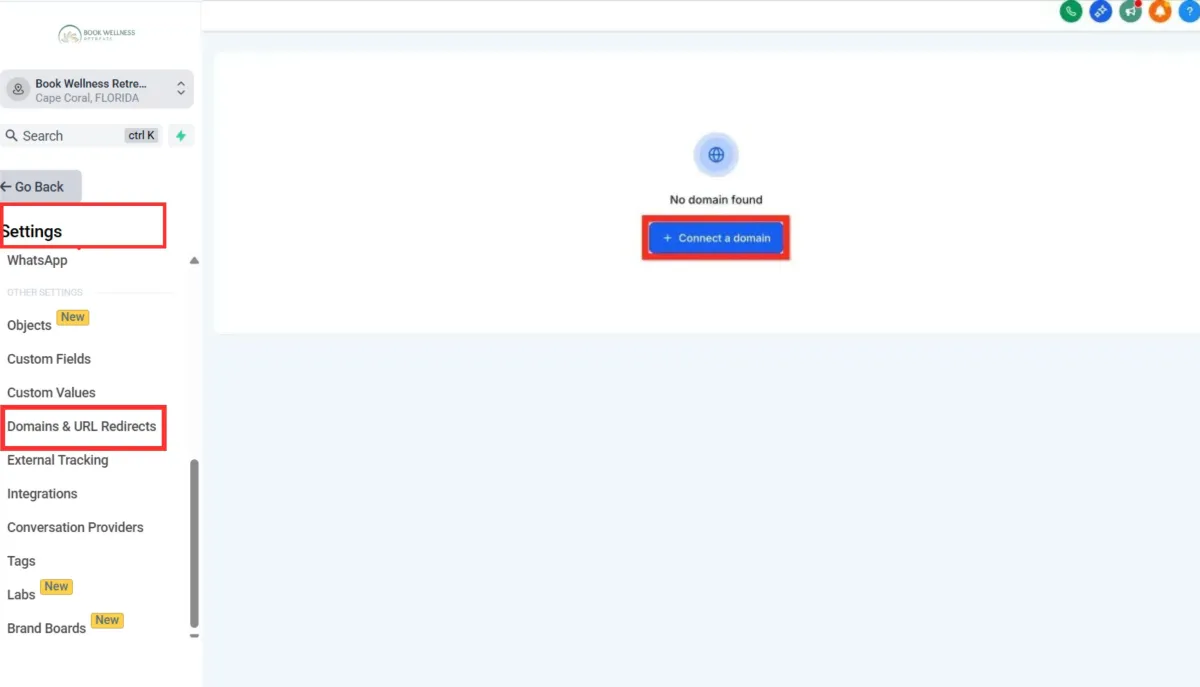
Click to connect a website: Use the option for blog/funnel/website/etc.
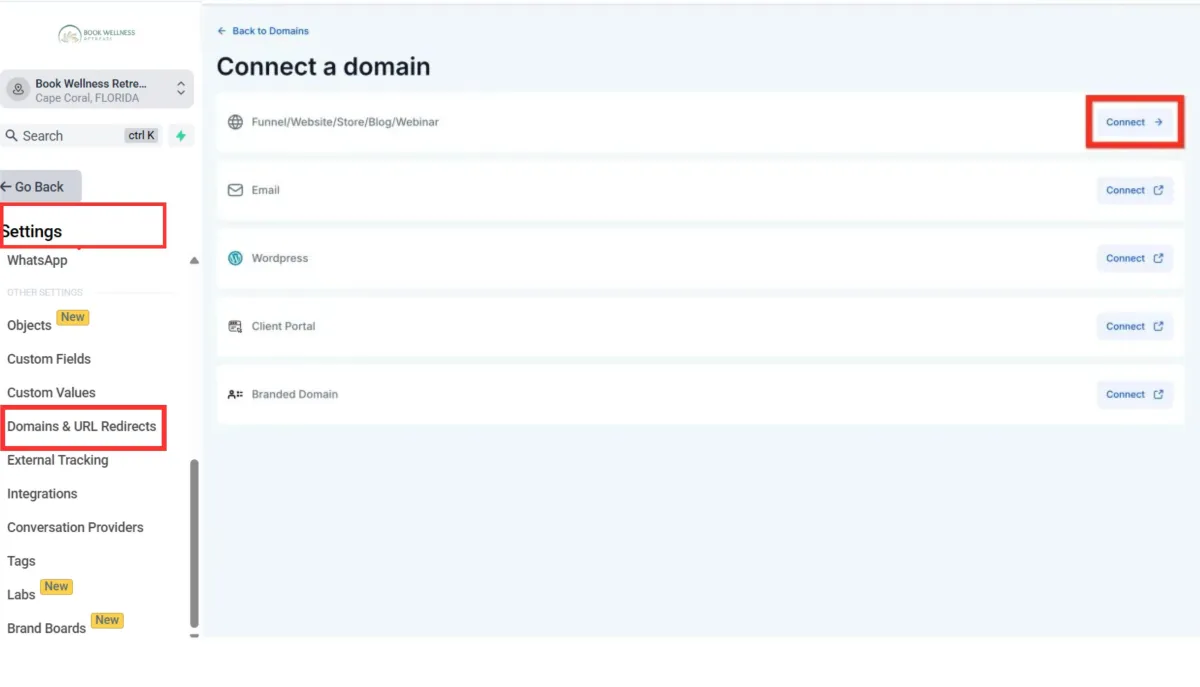
Enter the domain and click Continue: This is where you specify the domain you want your website to launch on.
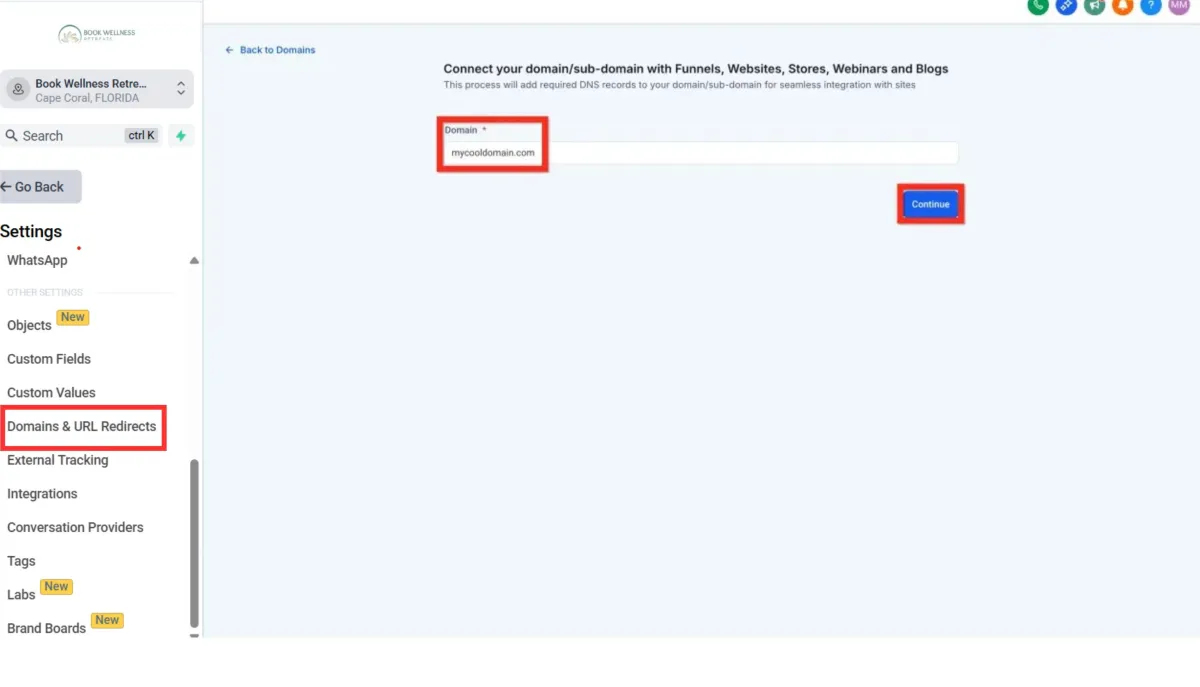
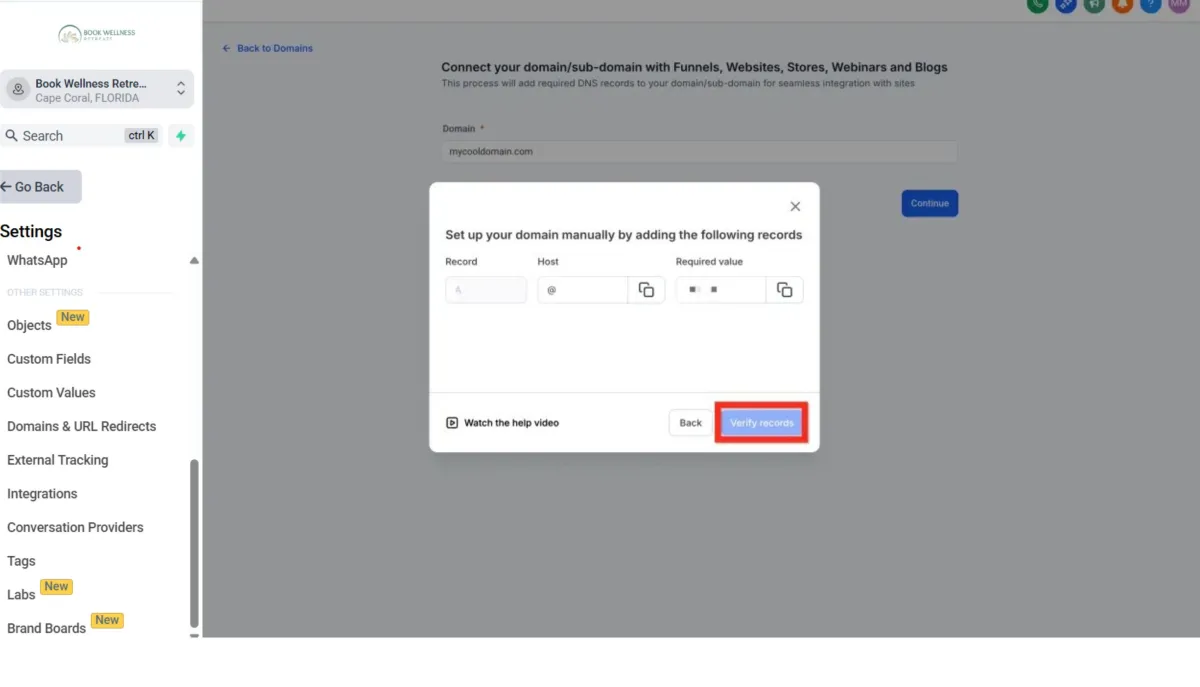
Continue and Configure DNS (varies by registrar): Follow the provided instructions. Don't worry, it's simpler than it sounds!
Click Verify Records: Let's make sure everything checks out.
Navigate back to Website Settings Tab: Return to settings one last time.
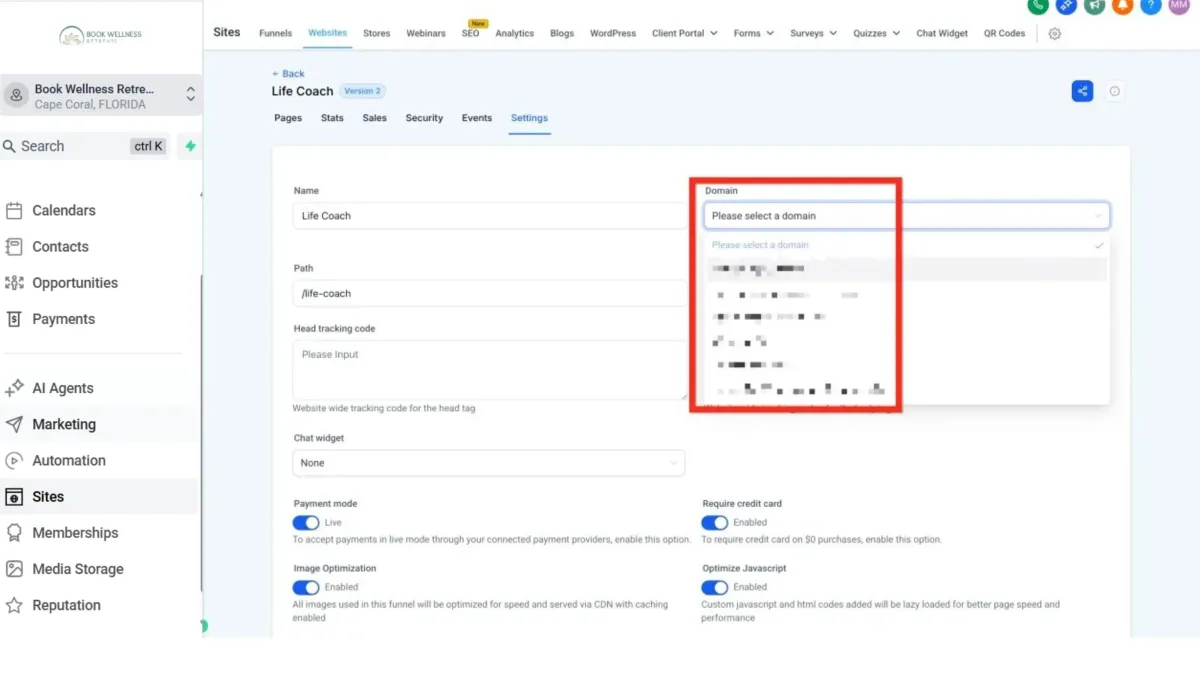
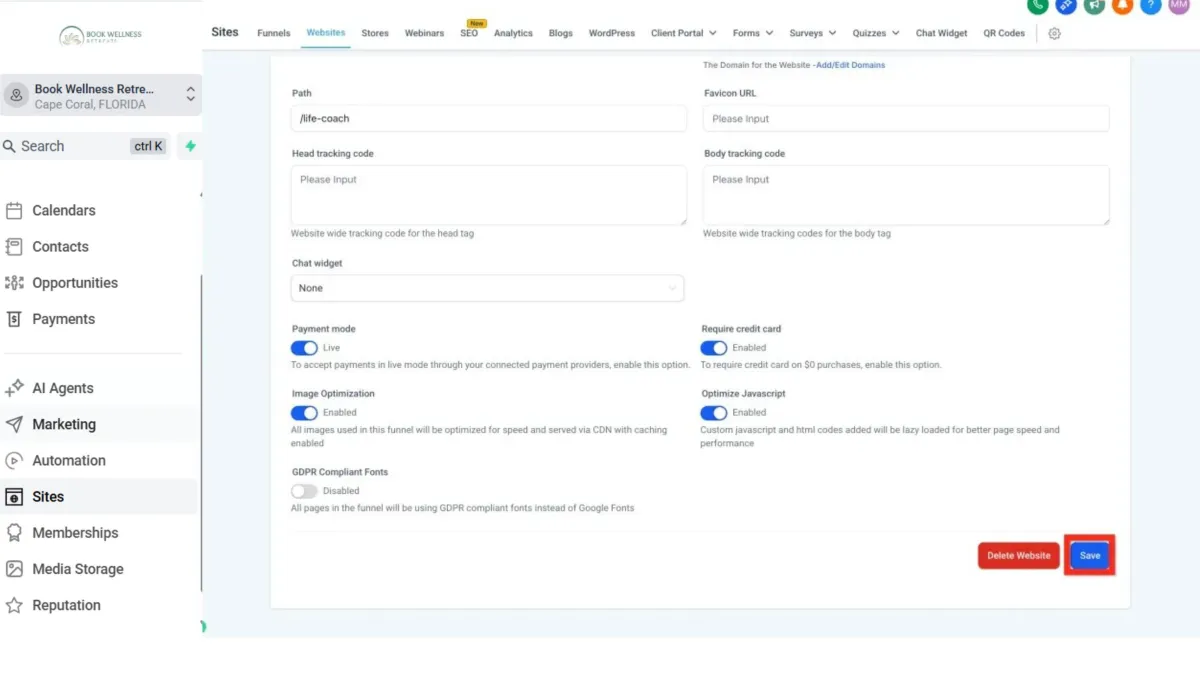
Select Domain and Click Save: Choose your shiny new domain and save your changes. Congratulations, your website is live!
Getting Started - Launch a Website From Template
TABLE OF CONTENTS
Still have questions? Contact [email protected]
Launching a Website on Your Domain
Ready to get started? Great!
Navigate to Sites > Websites: First, let's head to the Websites section to kick things off.
Click New Website: Look for the "New Website" button. Easy to find, right?
Click New Website:
From Blank: Feeling creative and adventurous? This gives you total freedom!
From Templates: Want something polished and quick? Let's start her.
Select From Templates and Click Create: Browse through our gorgeous templates. Once you've found your match, click "preview" to see it live, then hit Continue.
Next, you'll customize your site:
In Website Editor, Configure Website: Play around, tweak colors, add images, and really make it yours.
Click Save: Don't forget to save your masterpiece!
Click Publish: Make it live for the whole world.
Click Back (to exit Website Editor): Time to wrap things up and get your site online.
Let's make it official by connecting your domain:
Click Settings Tab: Jump over to the settings to connect your unique web address.
Under Domain Click Connect Domain: Find the domain dropdown and click the Connect Domain link underneath.
After clicking Connect Domain you might go straight to this page, in which cast you can enter your domain and click Continue, or you can click Back to Domains to go to the Settings > Domains list of domains.
Click Connect a Domain: Enter your domain name, and click "Continue" twice. Almost there!
If you don't have any domains yet, this is the page you will see. Just click Connect a Domain.
Click to connect a website: Use the option for blog/funnel/website/etc.
Enter the domain and click Continue: This is where you specify the domain you want your website to launch on.
Continue and Configure DNS (varies by registrar): Follow the provided instructions. Don't worry, it's simpler than it sounds!
Click Verify Records: Let's make sure everything checks out.
Navigate back to Website Settings Tab: Return to settings one last time.
Select Domain and Click Save: Choose your shiny new domain and save your changes. Congratulations, your website is live!
Ready to Transform Your Wellness Business?
Join hundreds of wellness leaders who are nurturing their retreat businesses with our gentle yet powerful platform

The complete platform for wellness entrepreneurs to design, grow, and run their business with purpose.
Platform
Marketing Services
Support
Copyright © 2025. Book Wellness Retreats LLC, All rights reserved
Ready to Transform Your Wellness Business?
Join hundreds of wellness leaders who are nurturing their retreat businesses with our gentle yet powerful platform
The complete platform for wellness entrepreneurs to design, grow, and run their business with purpose.
Platform
Marketing Services
Support
Copyright © 2025. Book Wellness Retreats LLC, All rights reserved