
Getting Started - Setup Email, Phone, and SMS
TABLE OF CONTENTS
Still have questions? Contact [email protected]
Setup Email
Ensure your messages land in inboxes, not spam folders. Here's a simple way to set up your email service:
Navigate to Settings > Email Services..
Click Dedicated Domain and IP.
Click Create Dedicated Domain.
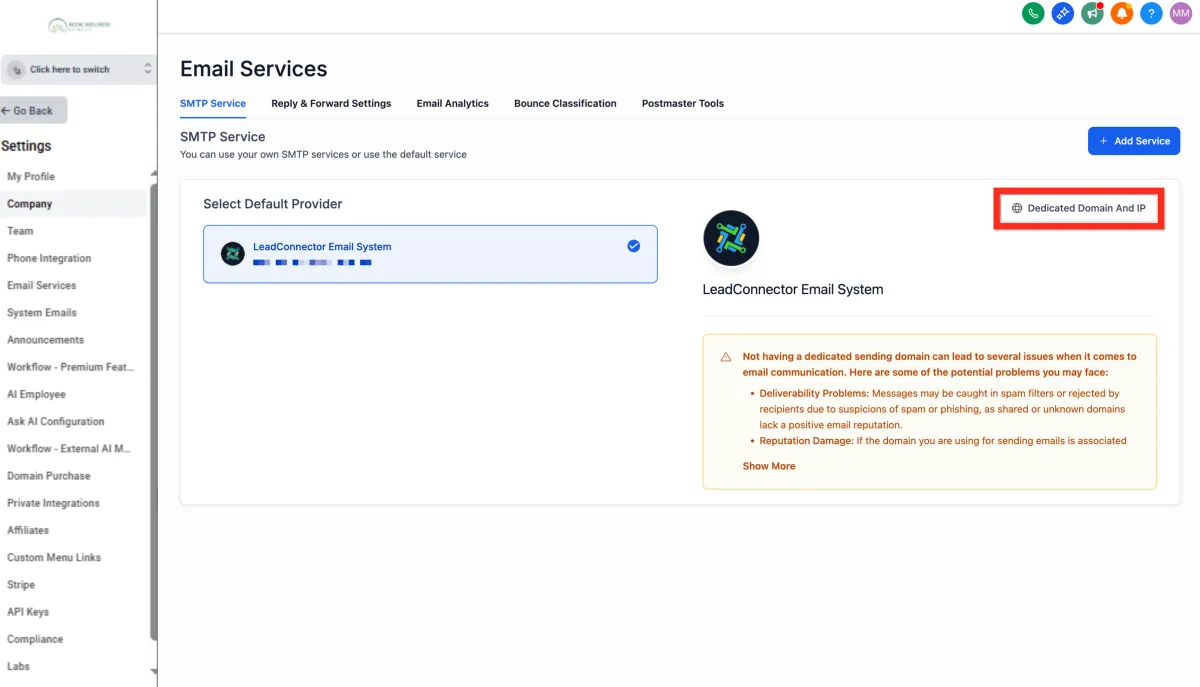
Click Add Domain.
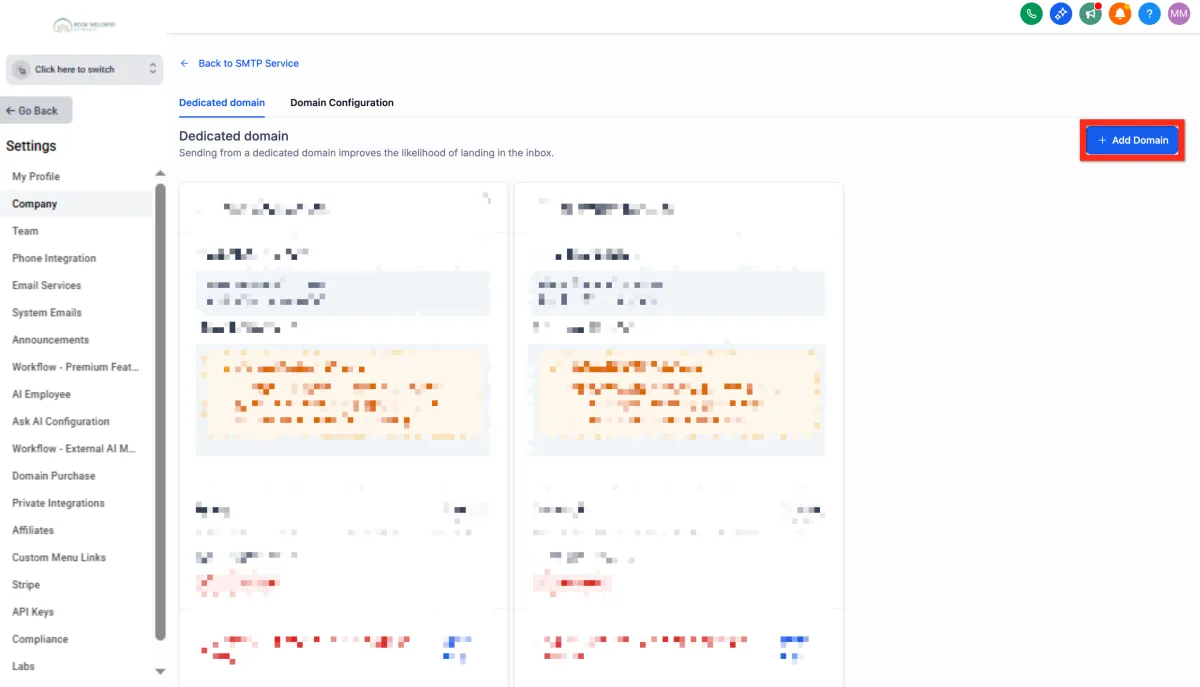
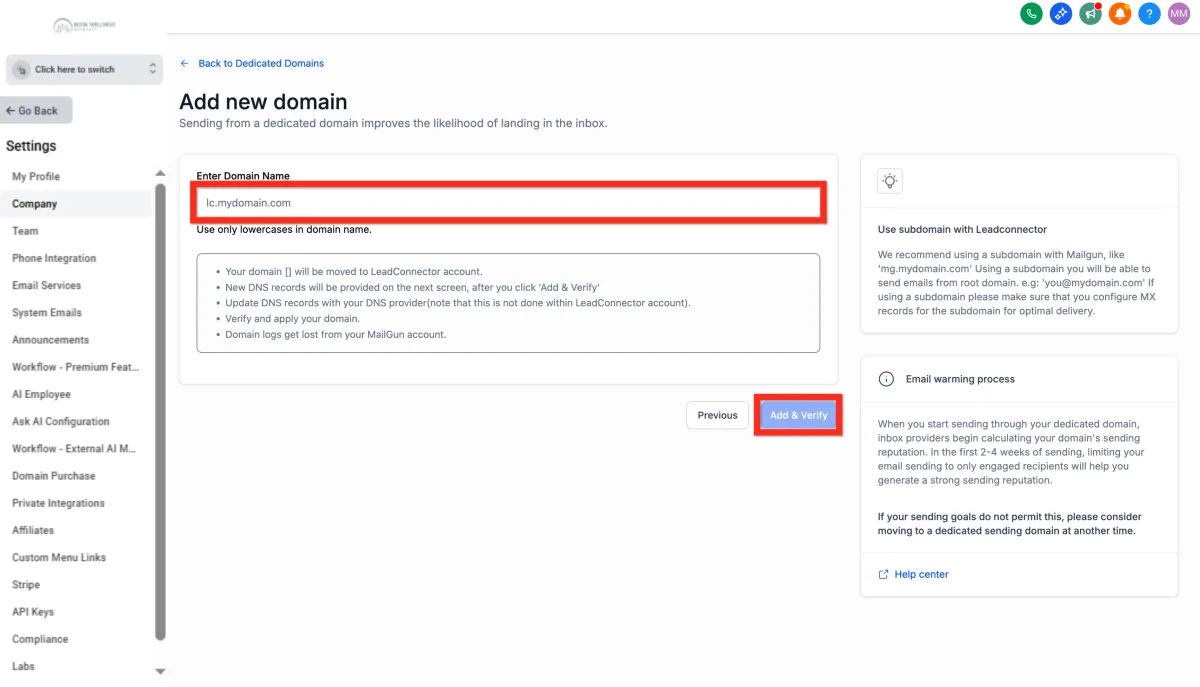
Enter a subdomain prefix along with your owned domain (e.g., lc.mydomain.com).
Click Add & Verify.
Configure DNS records according to your registrar's instructions.
Click Verify Records.
Add the additional TXT record provided
Click Verify Domain.
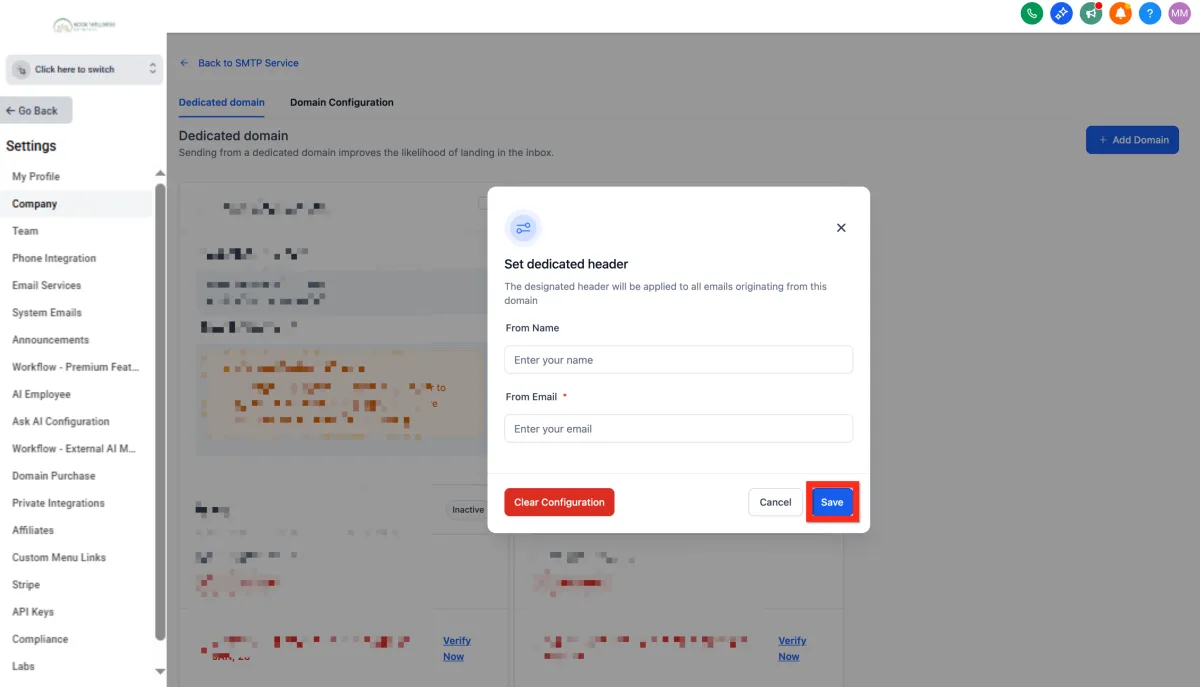
Customize your headers by clicking the 3-dot action menu and selecting Set Headers
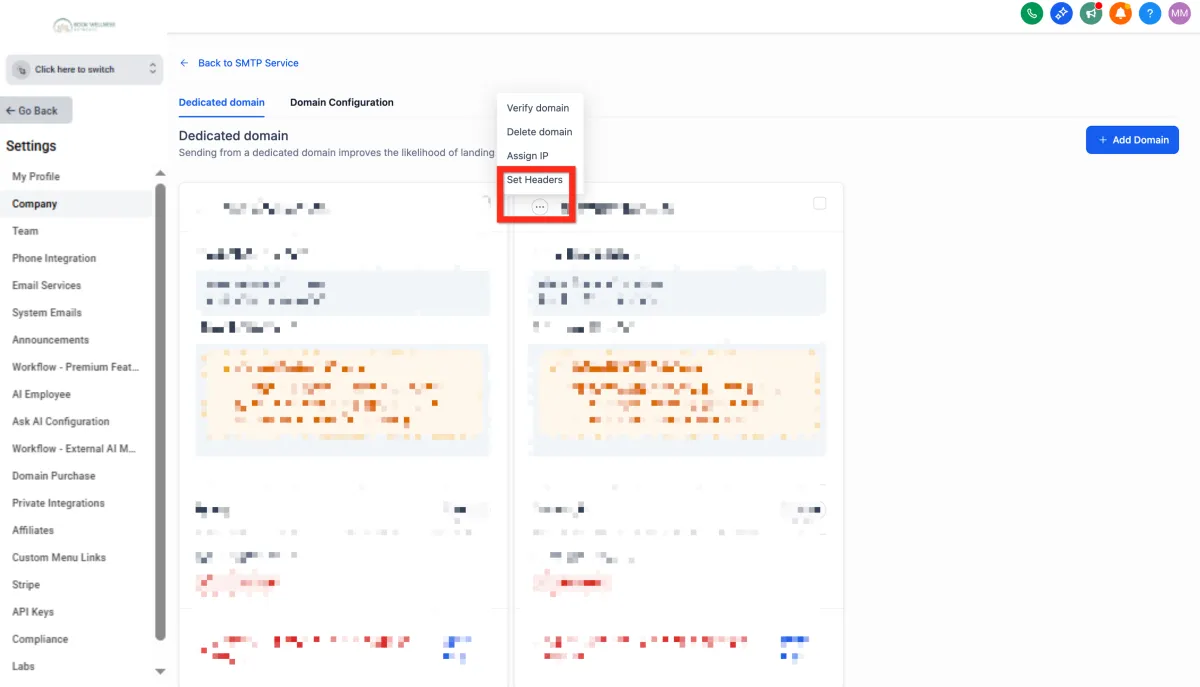
Enter your details (From Name, From Email).
Click Save.
Next, you can explore setting up your phone service to enhance your communication capabilities.
Setup Phone
Want to offer instant, personalized interactions? Add phone numbers swiftly to your platform and be reachable in no time.
Navigate to Settings > Phone Numbers.
Click Add Number > Add Phone Number.
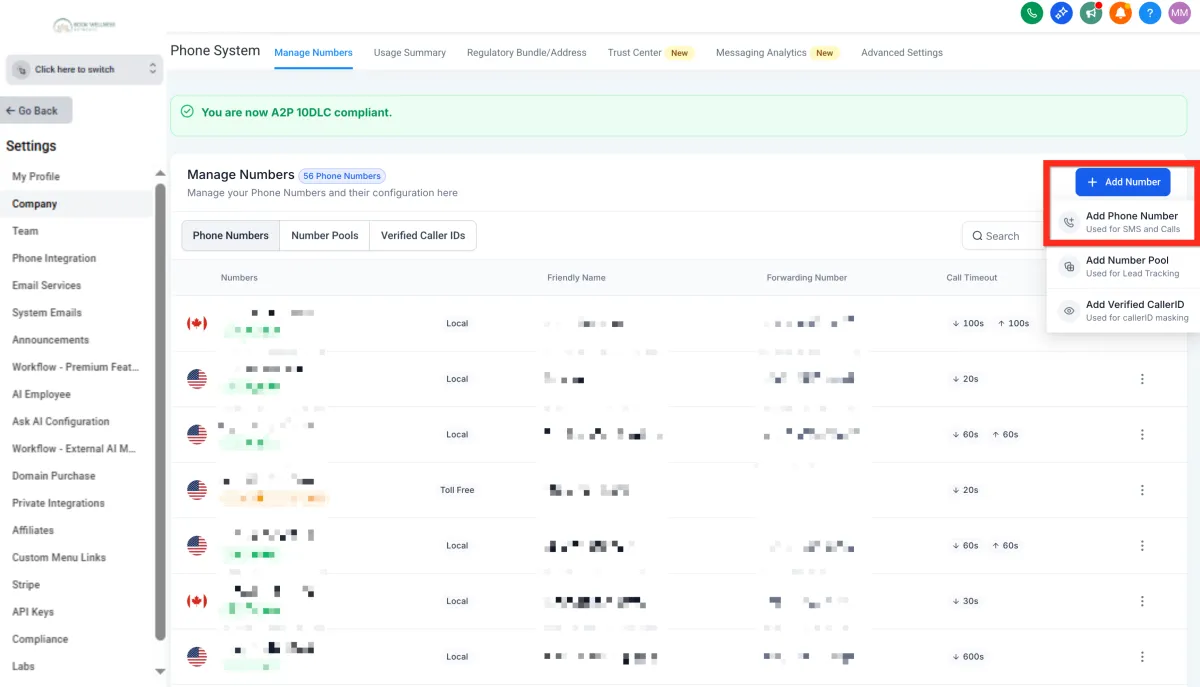
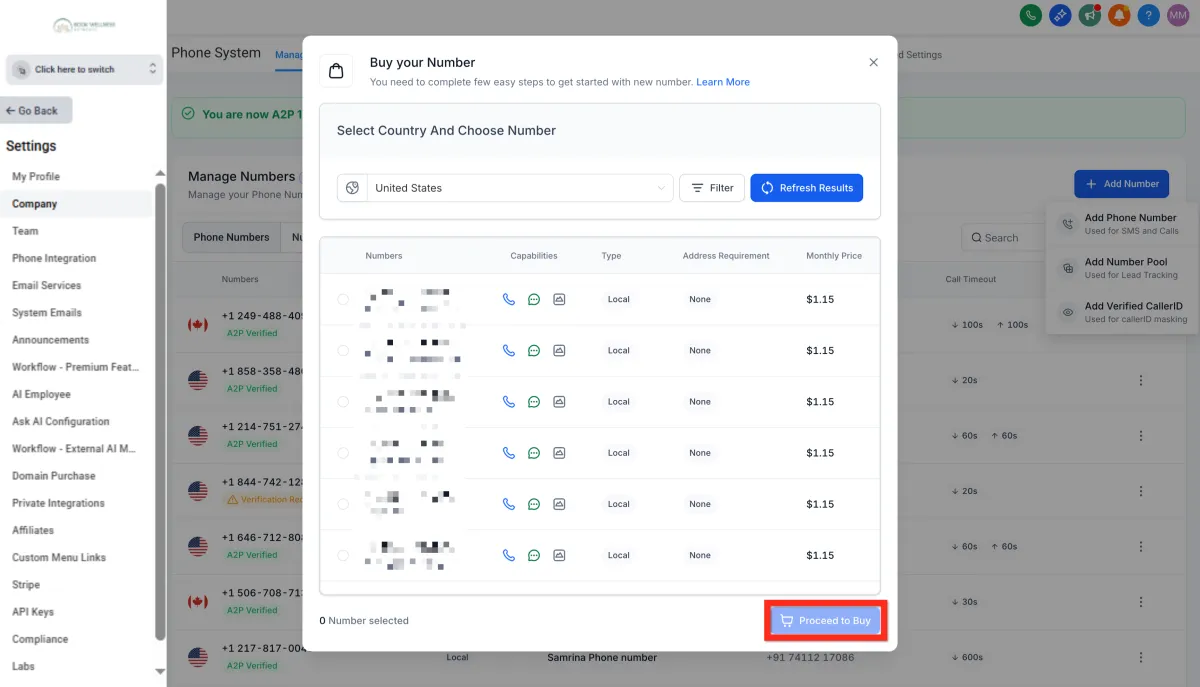
Filter numbers by country and area code.
Select your desired phone number.Click Proceed to Buy.
Click Proceed to Buy.
Next, make sure you're ready to handle incoming calls efficiently by setting up call forwarding.
Forward Phone Calls
Stay responsive by directing incoming calls to the number that's most convenient for you:
Navigate to Settings > Phone Numbers.
Click the 3-dot action menu next to your phone number.
Click Edit Configuration.
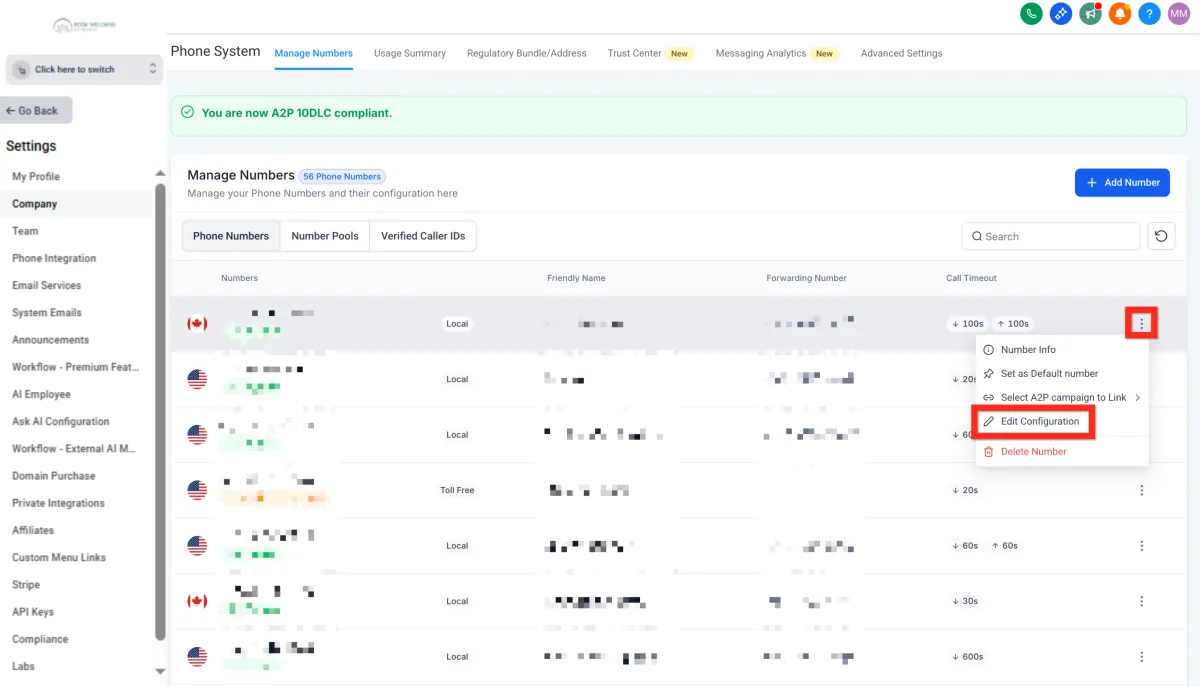
Enter your preferred forwarding number (e.g., your personal cell).
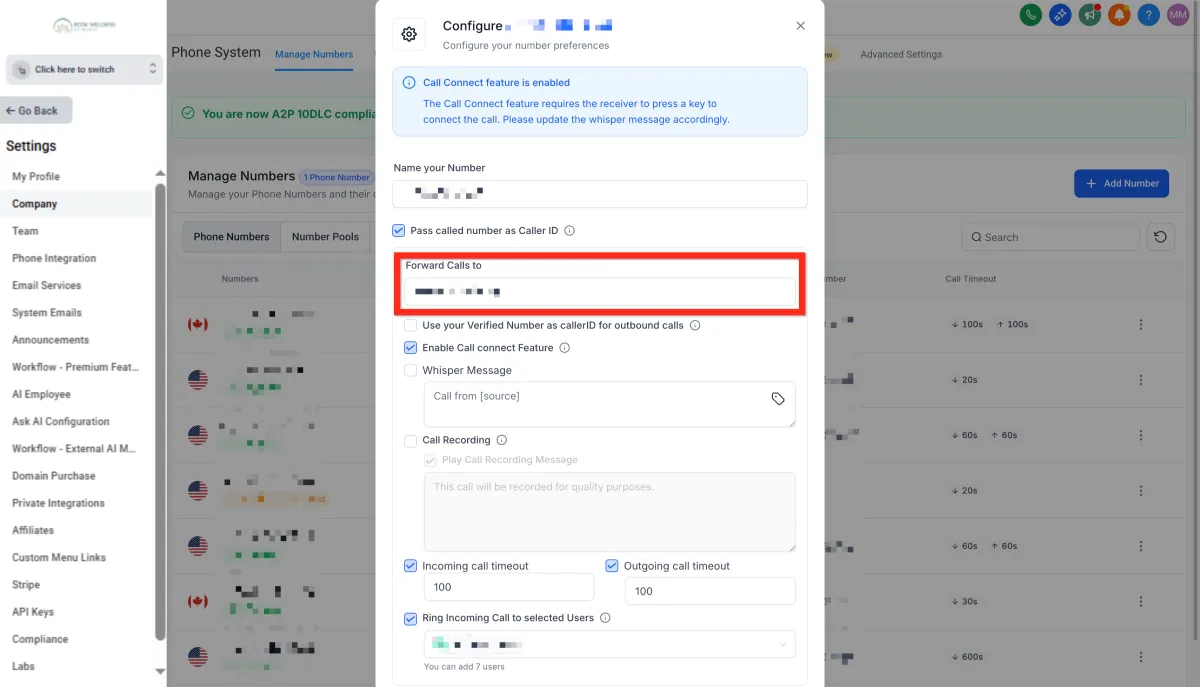
Click Save.
Next, learn how easy it is to initiate direct communication with individual contacts.
Contact a Contact
Quickly reach your contacts through their preferred communication channel:
Navigate to Contacts.
Browse, filter, or search to find the contact.
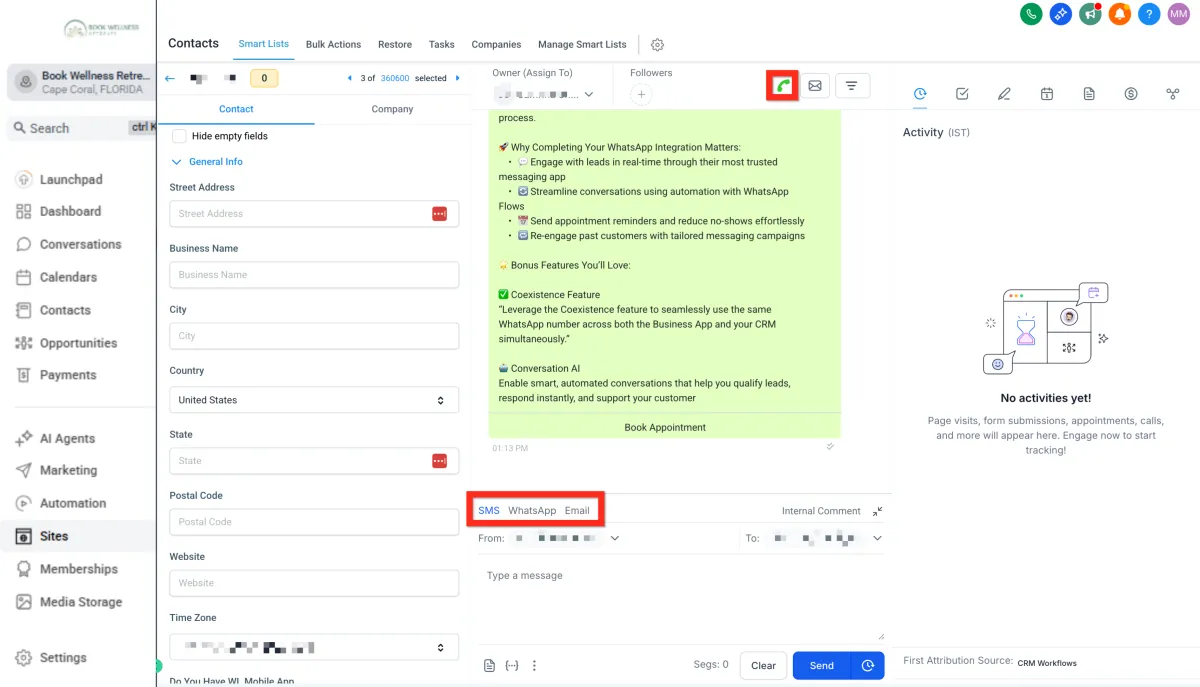
Open the Contact Card:
Call: Click the call connect button (green phone icon in the upper right).
SMS: Select the SMS tab in the message composer (bottom middle).
Email: Select the email tab in the message composer (bottom middle).
Next, learn how easy it is to initiate direct communication with individual contacts.
Contact Bulk Contacts
Maximize your reach efficiently with bulk communications:
Navigate to Contacts.
Open More Filters.
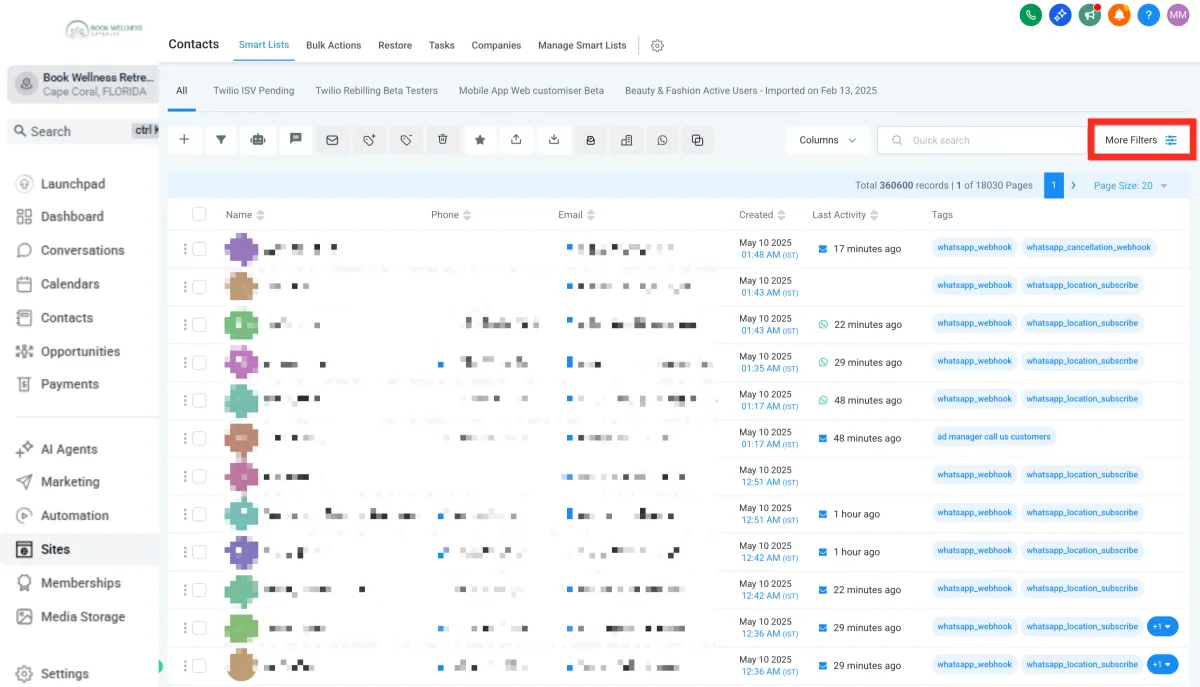
Filter your list to target the right audience.
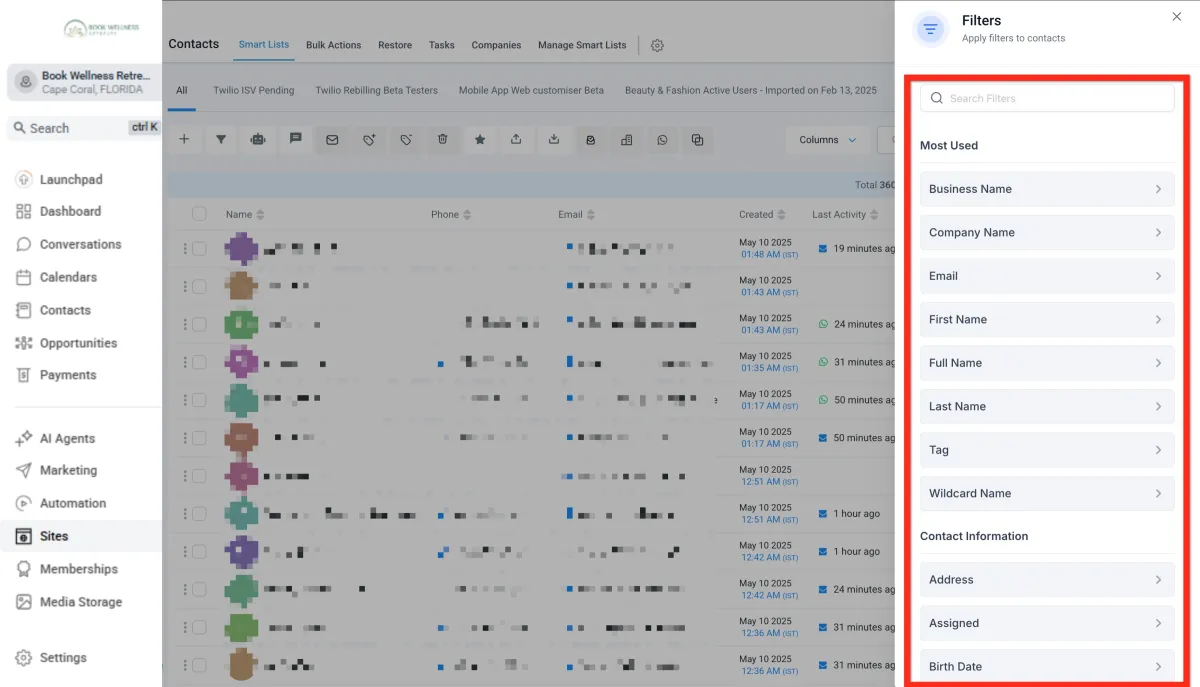
Select the checkbox next to all desired contacts.
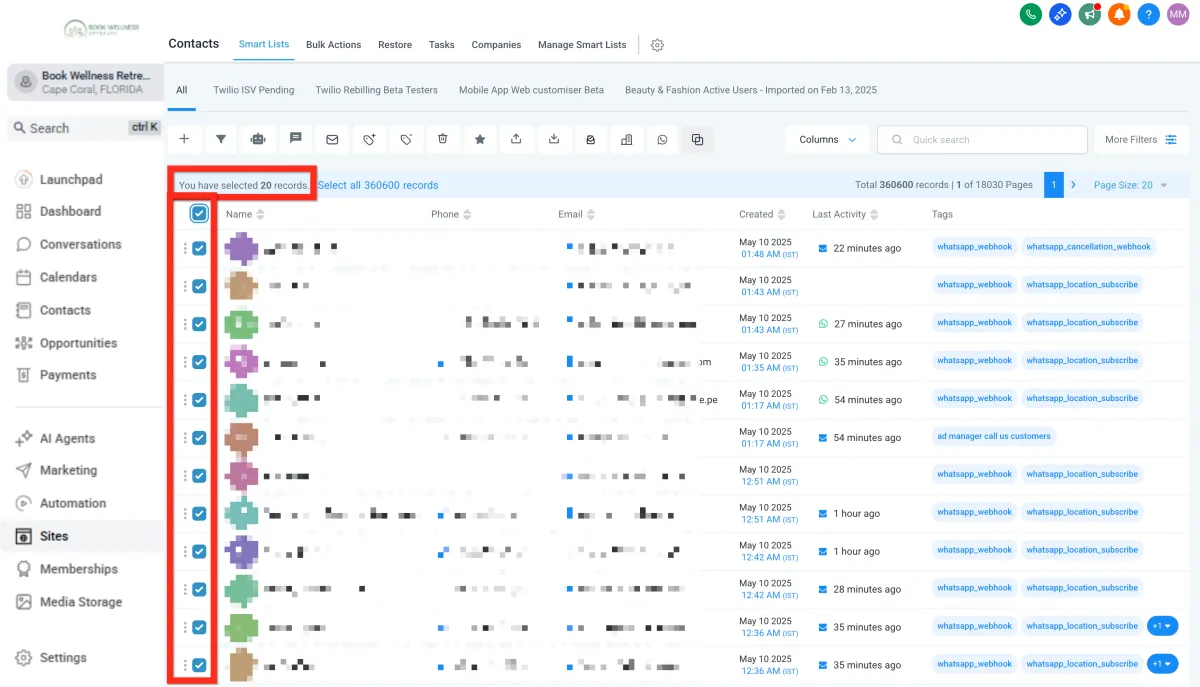
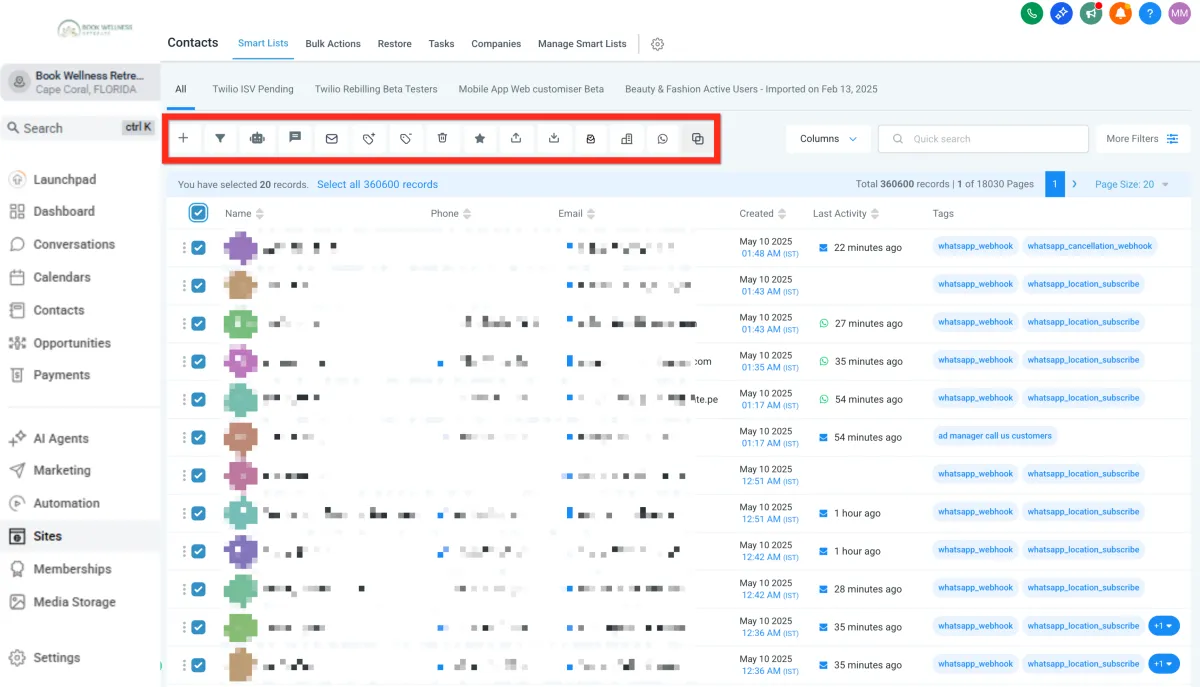
Choose your bulk action (email, SMS, etc.).
Learn More
Choose your bulk action (email, SMS, etc.).
Getting Started - Setup Email, Phone, and SMS
TABLE OF CONTENTS
Still have questions? Contact [email protected]
Setup Email
Ensure your messages land in inboxes, not spam folders. Here's a simple way to set up your email service:
Navigate to Settings > Email Services..
Click Dedicated Domain and IP.
Click Create Dedicated Domain.
Click Add Domain.
Enter a subdomain prefix along with your owned domain (e.g., lc.mydomain.com).
Click Add & Verify.
Configure DNS records according to your registrar's instructions.
Click Verify Records.
Add the additional TXT record provided
Click Verify Domain.
Customize your headers by clicking the 3-dot action menu and selecting Set Headers
Enter your details (From Name, From Email).
Click Save.
Next, you can explore setting up your phone service to enhance your communication capabilities.
Setup Phone
Want to offer instant, personalized interactions? Add phone numbers swiftly to your platform and be reachable in no time.
Navigate to Settings > Phone Numbers.
Click Add Number > Add Phone Number.
Filter numbers by country and area code.
Select your desired phone number.Click Proceed to Buy.
Click Proceed to Buy.
Next, make sure you're ready to handle incoming calls efficiently by setting up call forwarding.
Forward Phone Calls
Stay responsive by directing incoming calls to the number that's most convenient for you:
Navigate to Settings > Phone Numbers.
Click the 3-dot action menu next to your phone number.
Click Edit Configuration.
Enter your preferred forwarding number (e.g., your personal cell).
Click Save.
Next, learn how easy it is to initiate direct communication with individual contacts.
Contact a Contact
Quickly reach your contacts through their preferred communication channel:
Navigate to Contacts.
Browse, filter, or search to find the contact.
Open the Contact Card:
Call: Click the call connect button (green phone icon in the upper right).
SMS: Select the SMS tab in the message composer (bottom middle).
Email: Select the email tab in the message composer (bottom middle).
Next, learn how easy it is to initiate direct communication with individual contacts.
Contact Bulk Contacts
Maximize your reach efficiently with bulk communications:
Navigate to Contacts.
Open More Filters.
Filter your list to target the right audience.
Select the checkbox next to all desired contacts.
Choose your bulk action (email, SMS, etc.).
Learn More
Choose your bulk action (email, SMS, etc.).
Ready to Transform Your Wellness Business?
Join hundreds of wellness leaders who are nurturing their retreat businesses with our gentle yet powerful platform

The complete platform for wellness entrepreneurs to design, grow, and run their business with purpose.
Platform
Marketing Services
Support
Copyright © 2025. Book Wellness Retreats LLC, All rights reserved
Ready to Transform Your Wellness Business?
Join hundreds of wellness leaders who are nurturing their retreat businesses with our gentle yet powerful platform
The complete platform for wellness entrepreneurs to design, grow, and run their business with purpose.
Platform
Marketing Services
Support
Copyright © 2025. Book Wellness Retreats LLC, All rights reserved